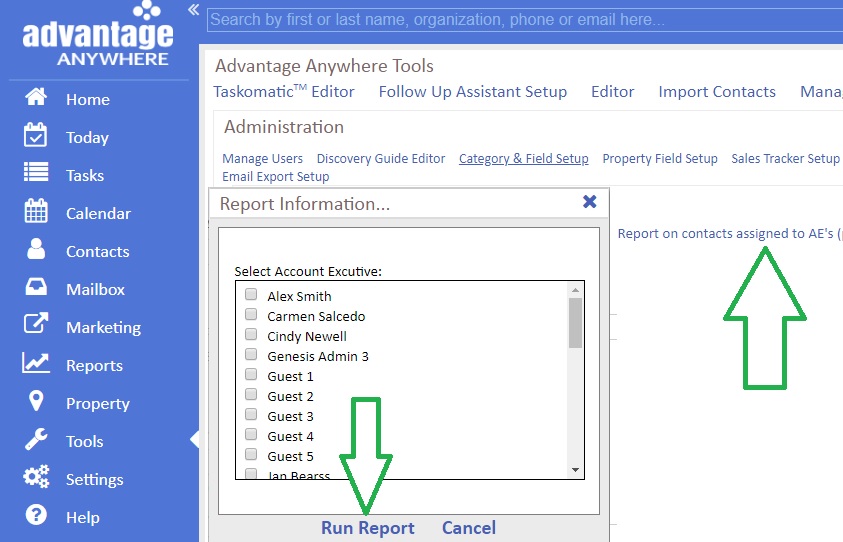
A. Finding contacts attached to Account Executives archived or current:
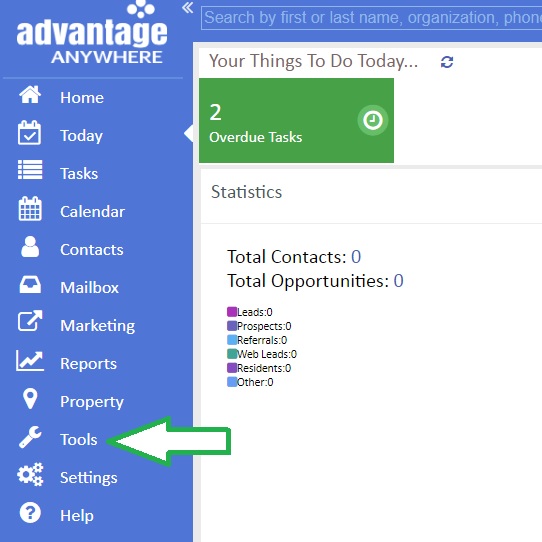
1. From Advantage Anywhere, click on Tools
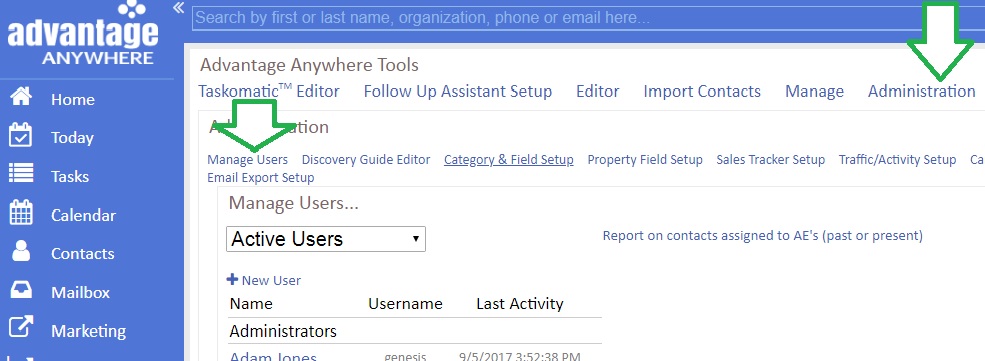
2. Click on Administration then click on Manage Users
3. Click on Report on contacts assigned to AE’s (past or present) then select the name of the Account Executive and run report